AI Influencer logoAI Influencer
AI Influencer
AI Dance
No Scrubs AIWhite Dress Dance AIChipmunks DanceTalk Dirty Dance AIThriller AIBby Wow AILike Jennie AIDame Hombro Dance AIView all dances
AI Trends
No Scrubs AIWhite Dress Dance AICelebrity Kitchen AIFancy Cafe AIChipmunks DanceClosing Door PrankDamon Salvatore AIEnd of Watch AIBirds of a Feather AITiny Desk AITalk Dirty Dance AIThriller AIBby Wow AIBurning Bridges AIGoodbye GTA 5 AILike Jennie AIPet Barista AIRubber Band Prank AIPodium Speech AI VideoI Love the Smiths AIOld Town Road AI VideoParisian Stroll AIDame Hombro Dance AIElevator Couple Selfie AIView all trends
LogoAI Influencer

Create AI influencer characters and explore image and video ideas.

Product

  • AI Video Generator
  • AI Image Generator
  • AI Influencer
  • Higgsfield Genjutsu Alternative
  • All trends

Resources

  • Pricing

Legal

  • Request a refund
  • Privacy Policy
  • Terms of Service
  • Acceptable Use Policy
  • Refund Policy
  • Cookie Policy

support@ai-influencer.videoAI Influencer ©️ 2026 All Rights Reserved.

Independent service, unaffiliated with model providers. Community demos imply no creator or brand endorsement. Rights concerns? Contact support.

Home
AI VideoAI Image
AI Dance
AI Trends
My Library

All trends

Reference video 4–30s
Add a reference image and a reference video before starting this generation.
Estimated credits145 credits
View all

AI Video Generator for your next idea

Start with a prompt, an image or a reference. Choose the model and settings that fit your idea.

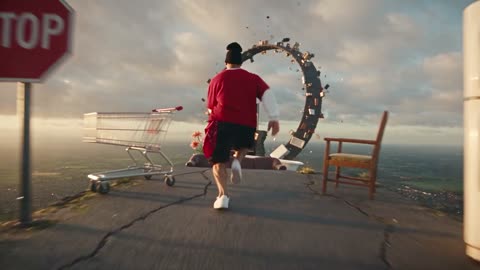
Runner crossing floating platforms above a sunlit landscape

Choose a starting point for your AI video

A video can begin with a written idea, an image or reference media. Available input types, duration and resolution depend on the model selected in the workspace. Use the settings and credit estimate to compare options before submitting. For a specific performance, try a motion transfer template or add a reference clip.

A figure swinging between city buildings toward the sunset

Create a video

Start with a prompt, an image or a reference. Choose the model and settings that fit your idea.

  1. Prompt

    A runner crosses floating platforms above a sunlit landscape.

    Text to video

    STEP 1

    Choose a model

    Select an available video model.

  2. Seedance 2.0
    Resolution480p
    Length10s
    AudioOff
    AspectAuto

    STEP 2

    Add your inputs

    Add the prompt or media supported by that model.

  3. MP4

    STEP 3

    Generate and review

    Review duration, format and estimated credits. Generate, review and download your result.

See what your idea can become

Explore product stories, immersive scenes, and playful characters with the AI video generator.

Product stories that move

Use the AI video generator to turn a product image or fashion concept into a short social clip. Put a drink, an outfit, or a new release at the center of a moving scene. Create a campaign concept, launch teaser, or product story that gives viewers more than a still photograph.
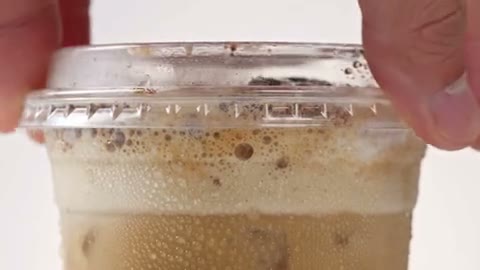
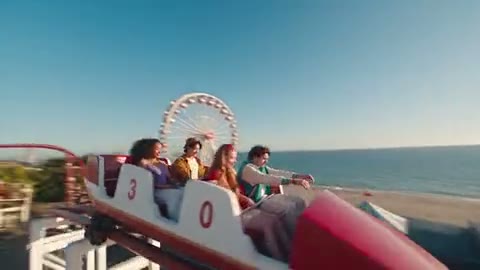
Product story
Product story

Put the viewer inside the scene

Create travel, sport, and immersive scenes with an AI video generator that accepts text or a starting image. A moving viewpoint can carry the audience through a location, around a subject, or into the action. Explore a destination teaser or an energetic social post before planning a full production.

Traveling viewpoint
Traveling viewpoint

Make the impossible feel cinematic

Bring an invented world, an unusual scale, or a dramatic visual transition to life with the AI video generator. Explore scenes that would be difficult to film and give a creative pitch a sense of movement. A short sequence can help communicate the atmosphere of a storyboard, music teaser, or imagined setting.

Creative short
Creative short

Characters in motion

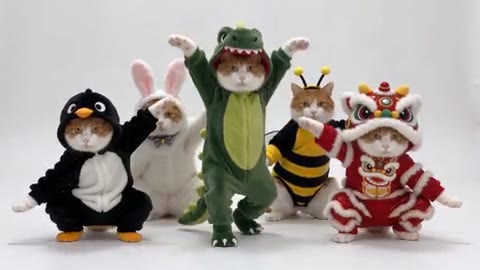
Create a playful pet scene, a mascot moment, or a character-led greeting with the AI video generator. Start with a written idea or an image that establishes the look, then explore a short performance. From costume changes to a lively group scene, these clips suit entertainment concepts and lighthearted social content.

Characters in motion

Why choose our AI Video Generator?

Keep creative choices, costs, and finished clips together, with one place to explore an idea and decide which version is worth keeping.

More creative options in one workspace

Explore Seedance, MiniMax, Kling, and Veo without learning a different form for each family. Our AI video generator adapts its input modes and settings to your selected model, so you can try another creative direction within the same workflow.

See the estimate before you commit

The AI video generator shows estimated credits beside Generate. Changing the model, duration, resolution, or supported sound setting updates the estimate. You can weigh the next experiment against your available credits before sending a request.

Keep your next step close

Review finished clips in My creations, download a result, or revisit it through account history. You can also bring a finished image into the AI video generator as a draft and choose when to generate the next scene.

Prepare a useful AI video brief

Choose inputs and settings around the shot you want to create, then review how the result moves.

Pick the starting input

An AI video can begin with a written idea, an image or compatible reference media. Select the model first and look at the inputs shown in the workspace. A text prompt gives you room to describe a new scene; an image supplies a visual starting point. Motion references are available only with models that support them.

Describe a shot, not a list of effects

For a text-led AI video, describe the subject, the main action and the setting before adding camera or lighting details. For example, try a cyclist crossing a quiet bridge at sunrise with a slow side view. If several actions compete in the same shot, simplify the brief and compare a new result.

Choose references that fit the movement

A clear image can give an AI video a useful subject and composition when the selected model accepts image input. For a full-body action, show the parts involved and leave room around the subject. If the model supports a motion clip, watch it first and check that the performance stays visible through turns and camera changes.

Review format and estimated credits

Choose from the durations, aspect ratios and resolutions offered for the selected AI video model. Consider where the clip will be viewed: a vertical frame suits a different layout from a wide scene. Options and estimated credits can change with the model and settings, so review the current form before submitting.

Check the full AI video

Play the result from beginning to end and look at faces, hands, moving objects and transitions. A convincing opening frame may not represent the rest of the clip. If something needs work, change one input at a time and compare the next generation. Another submission can use additional credits; download the version you want to keep.

AI Video Generator pricing

Each request uses credits based on the selected model and settings. Check the estimate in the workspace before generating, and review plan availability below.

Starter

For your first ideas.

$8.33/month

$100.0 charged yearly

2,400 credits/year

Up to 400 images

GPT Image 2Nano Banana Pro

Up to 133 videos

GenjutsuGenjutsu Lite
  • Up to 4K images and HD videos, depending on the model
  • Image editing, video creation & motion transfer
  • Watermark-free image & video downloads
  • Generation history in your account
Popular40% OFF · Save $238.8

Pro

For a steady creative flow.

$30.0/month$49.9/month

$360.0 charged yearly

21,600 credits/year

Up to 3,600 images

GPT Image 2Nano Banana Pro

Up to 1,200 videos

GenjutsuGenjutsu Lite
  • Up to 4K images and HD videos, depending on the model
  • Image editing, video creation & motion transfer
  • Watermark-free image & video downloads
  • Generation history in your account
  • Use credits across image and video models
Best Value50% OFF · Save $599.8

Business

For more creations, more often.

$49.92/month$99.9/month

$599.0 charged yearly

48,000 credits/year

Up to 8,000 images

GPT Image 2Nano Banana Pro

Up to 2,666 videos

GenjutsuGenjutsu Lite
  • Up to 4K images and HD videos, depending on the model
  • Image editing, video creation & motion transfer
  • Watermark-free image & video downloads
  • Generation history in your account
  • Use credits across image and video models

Basic

$0

Try before you subscribe

  • 10 one-time signup credits
  • Generation history included
  • Watermarked previews & downloads
  • Up to 1 images or 0 video
  • Watermark-free downloads require payment

Prices in USD; taxes and total shown at checkout. Subscriptions renew automatically; cancel in Billing settings. Subscription credits expire each period; one-time credits never expire.

Refunds: request within 72 hours. Used purchased credits and applicable non-refundable processing costs (up to 6%) are deducted. Terms · Refund Policy

AI Video Generator for your next idea: questions and answers

What to know before you create.

Can I use an image as an AI video reference?

Yes, when the selected model supports image input. The workspace shows the available reference slots.

Can I use a motion clip for an AI video?

Select a model that accepts a reference video, or start with a motion template in AI video trends.

What controls the cost of an AI video?

The selected model and supported settings can affect the credit estimate. Review the amount shown before submitting.

Do I need to sign in to generate an AI video?

Yes. You can explore the workspace first, then sign in to submit a generation and keep the result in your account.

Can I choose the AI video length and format?

The available duration, aspect ratio and resolution depend on the selected model. Check the options and estimate in the workspace before generating.

Where can I find my finished AI video?

Completed videos appear in My creations and your video history, where you can review and download the available result.

Can I use a generated character in an AI video?

Yes. A character image can be used as a reference when the selected video model supports image input. Review the image and the available reference slots first.

How should I write an AI video prompt?

Start with one subject, an action and a setting. Add camera movement, lighting or atmosphere when those details matter. For example, describe a person walking through a sunlit market with a slow tracking shot. Keep the first AI video brief focused, then revise one detail after reviewing the result.

What can I do if an AI video changes my character?

Use a clear reference image when the selected model supports it and match the crop to the movement you want. Review the full AI video for changes during turns or fast action. A simpler scene or clearer reference may be worth comparing; each new generation uses its displayed credit estimate.

Keep your next idea moving

  • Illustrative clay-style corgi wearing a blue scarfAI Image GeneratorCreate a still image from a prompt or supported reference.
  • Illustrative AI influencer portrait and full-body characterAI Influencer GeneratorCreate a character sheet to use in your next idea.
  • Illustrative street scene for a video ideaAI Video TrendsPreview a prepared scene and load its photo roles.

Create your next story with the AI Video Generator

A product story, a playful character, a world you imagined. Bring your next idea to the AI video generator and give it a first scene.

Create a video
A figure holding a butterfly while falling through a bright tunnel of light